
Ajutor › Builder (Design and Pages)
Empty Block on Builder
Table of Contents
Getting Started
The empty block feature enhances a user’s site-building experience. If a user has an element with no content in it, the section will appear as an empty block on the builder. This helps a user keep track of and plan out the site-building process. This article will cover how this works and list the elements on which the empty blocks will appear.
How Empty Block Works on Builder
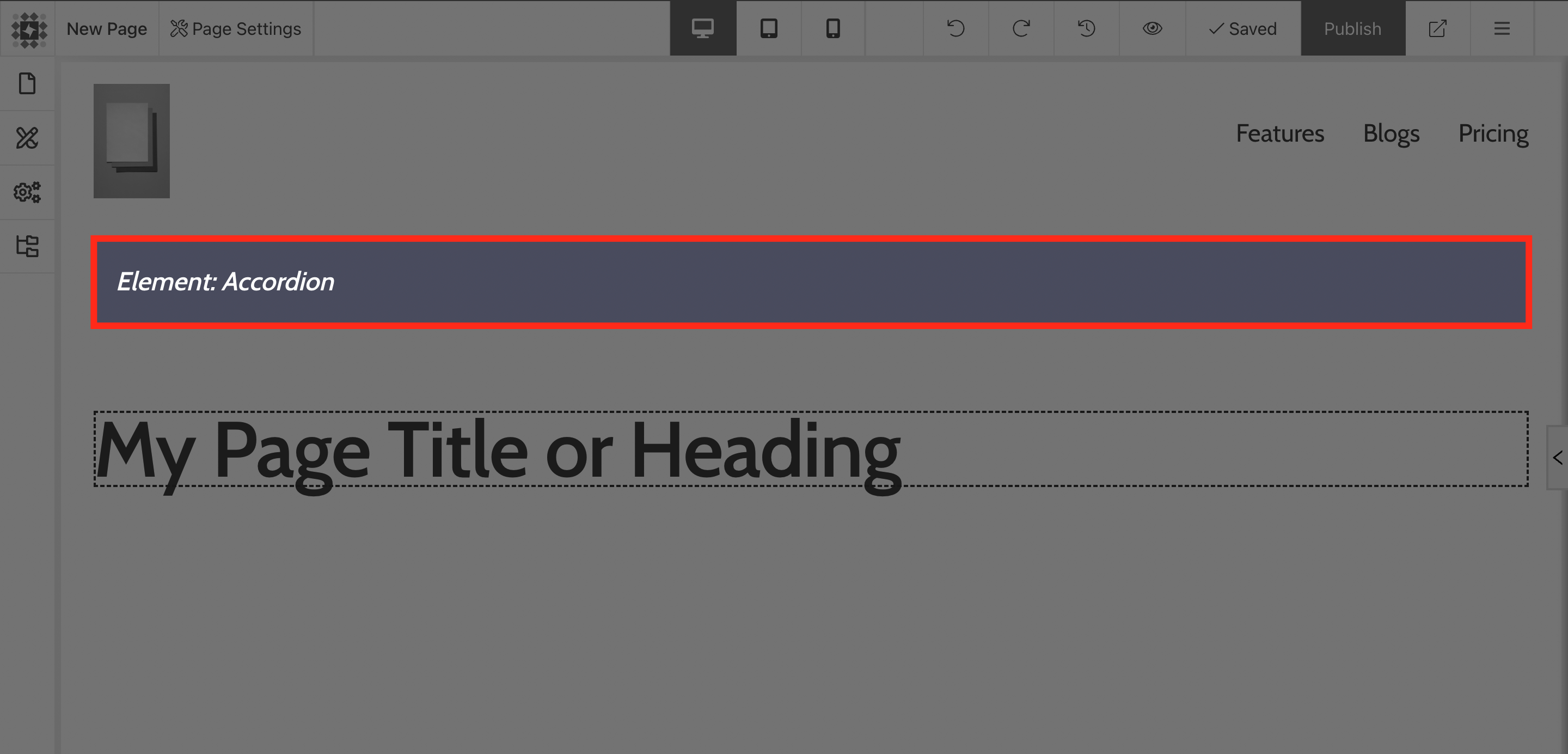
An empty block appears when an element does not have any content. It will not appear if you publish your site; it will only appear in your website builder or when you preview it.
In this example, we will use the Accordion element to show you how this works:
Preview and Publish
Empty blocks do not appear if you publish and visit your site externally. They will only appear in your website builder or when you preview it.
Elements with Empty Block
- Accordion
- Content Slider
- Counter Circle
- Custom Form
- Heading/Title
- Horizontal Line
- Icon
- Icon + Text
- Image Gallery
- Image Slider
- Links
- List
- Progress Bar
- Social Icon
- Tabs
- Testimonial Slider
- Text
Related articles
◼️ Section, Row, Columns, Elements CMS Row with columnAi nevoie de ajutor? Scrie-ne.