
Links
Getting Started
The link element lets you set links on your website. You can add different types of links and customize them. This article will cover how the link element can be added and customized in your website, follow all the instructions accordingly.
Table of Contents
Adding the Links element
Follow the steps below to add the Links element to your site.
- Click on Add Element in an empty row and section
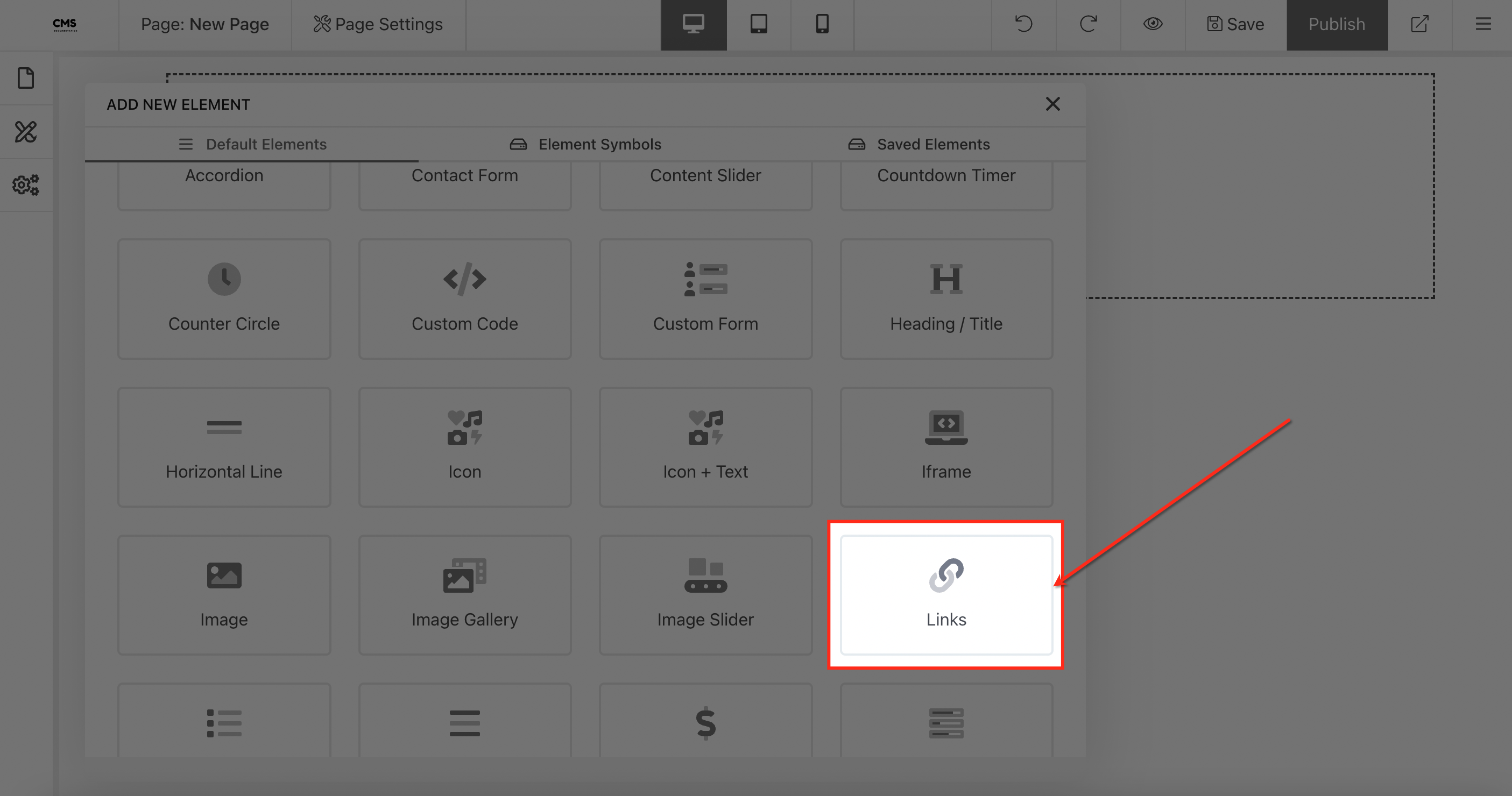
- From the General Elements section, select Links
Refer to the GIF below:
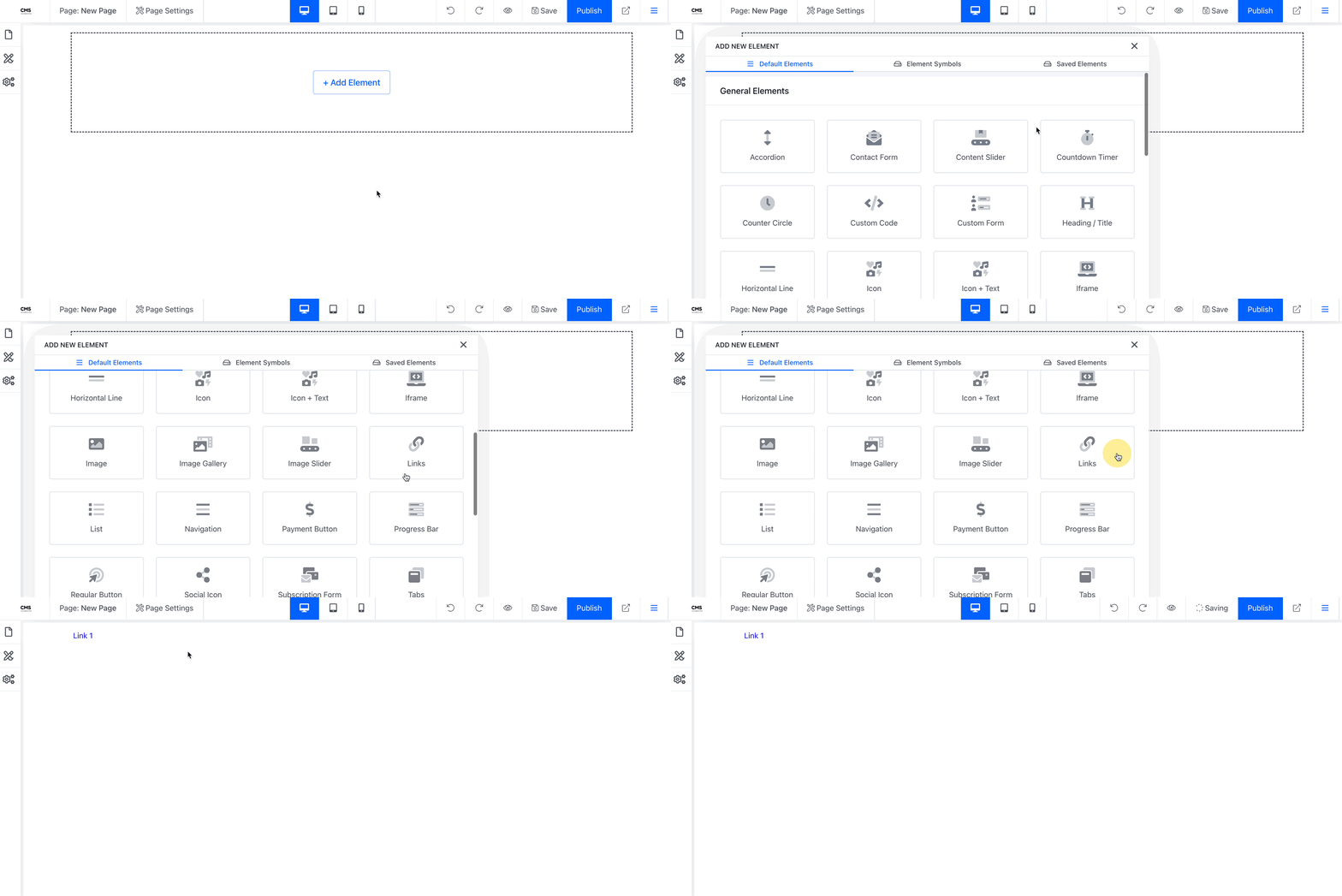

Links element after it is added
Editing the Links element
Follow the steps and instructions below to add and edit the Links element on your site.
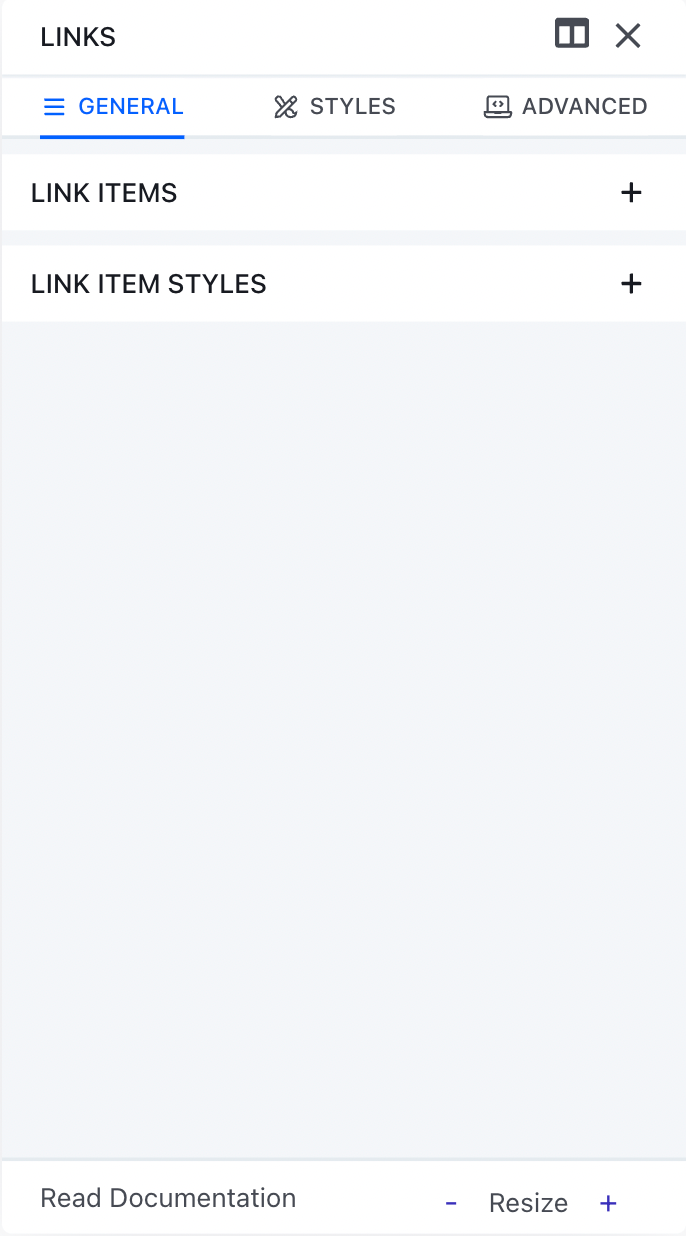
The Links element editor has the following options:
- Link Items
- Link Item Styles
The Links element editor:
Link Items
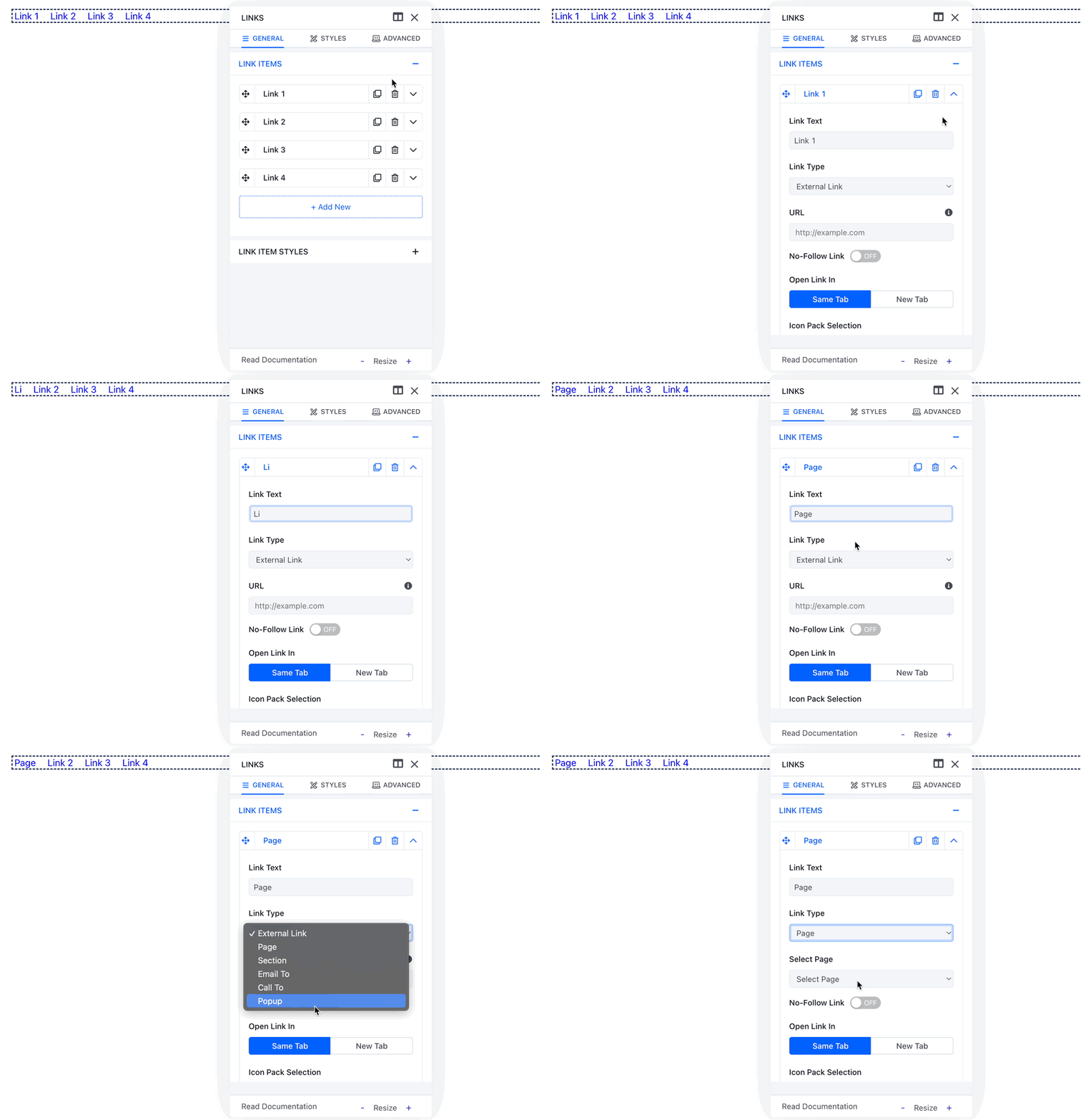
Inside this option, you can add, copy, delete and edit links in your element.
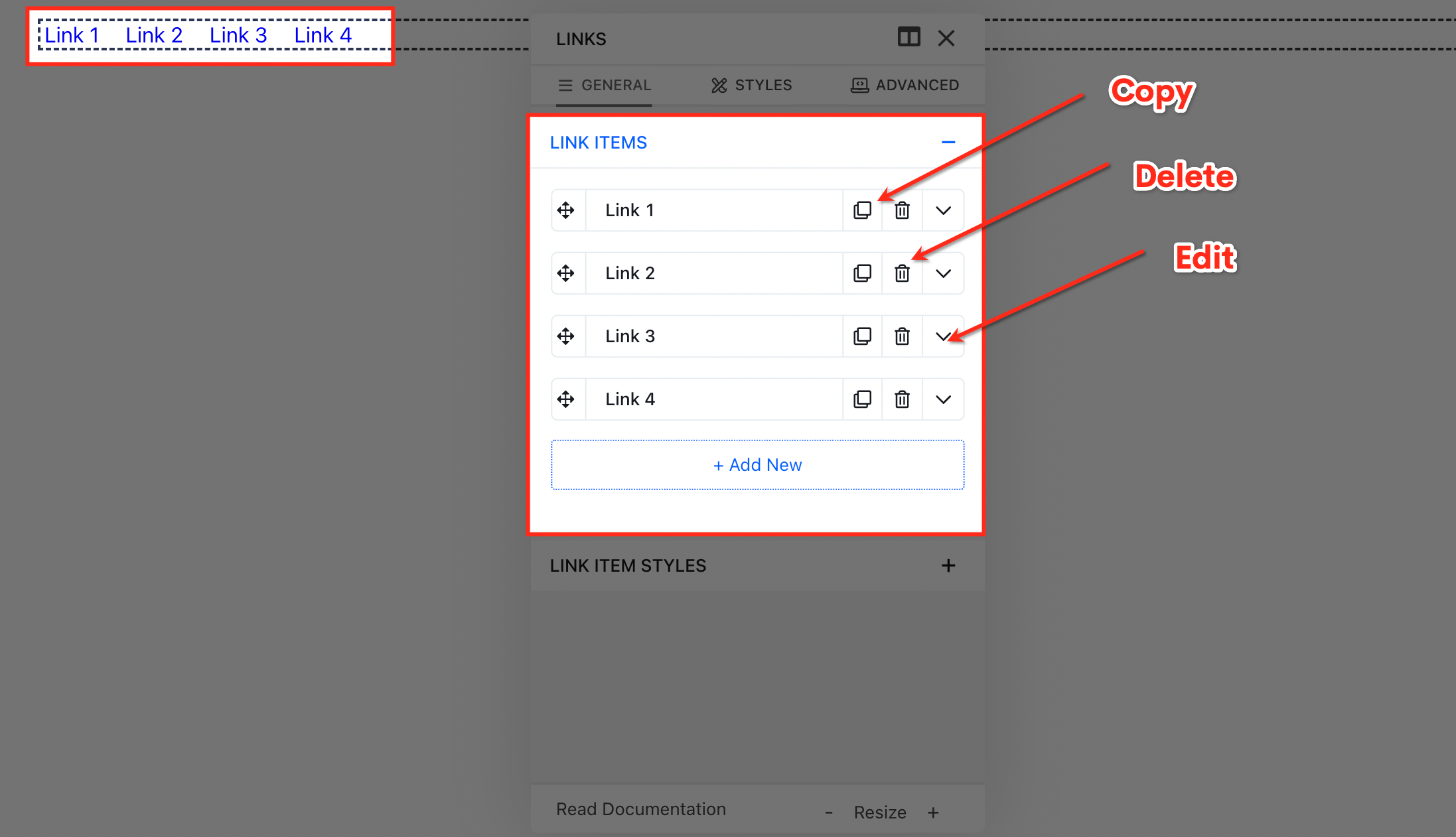
Here are all the settings you can do for an item inside the Links element ⬇️
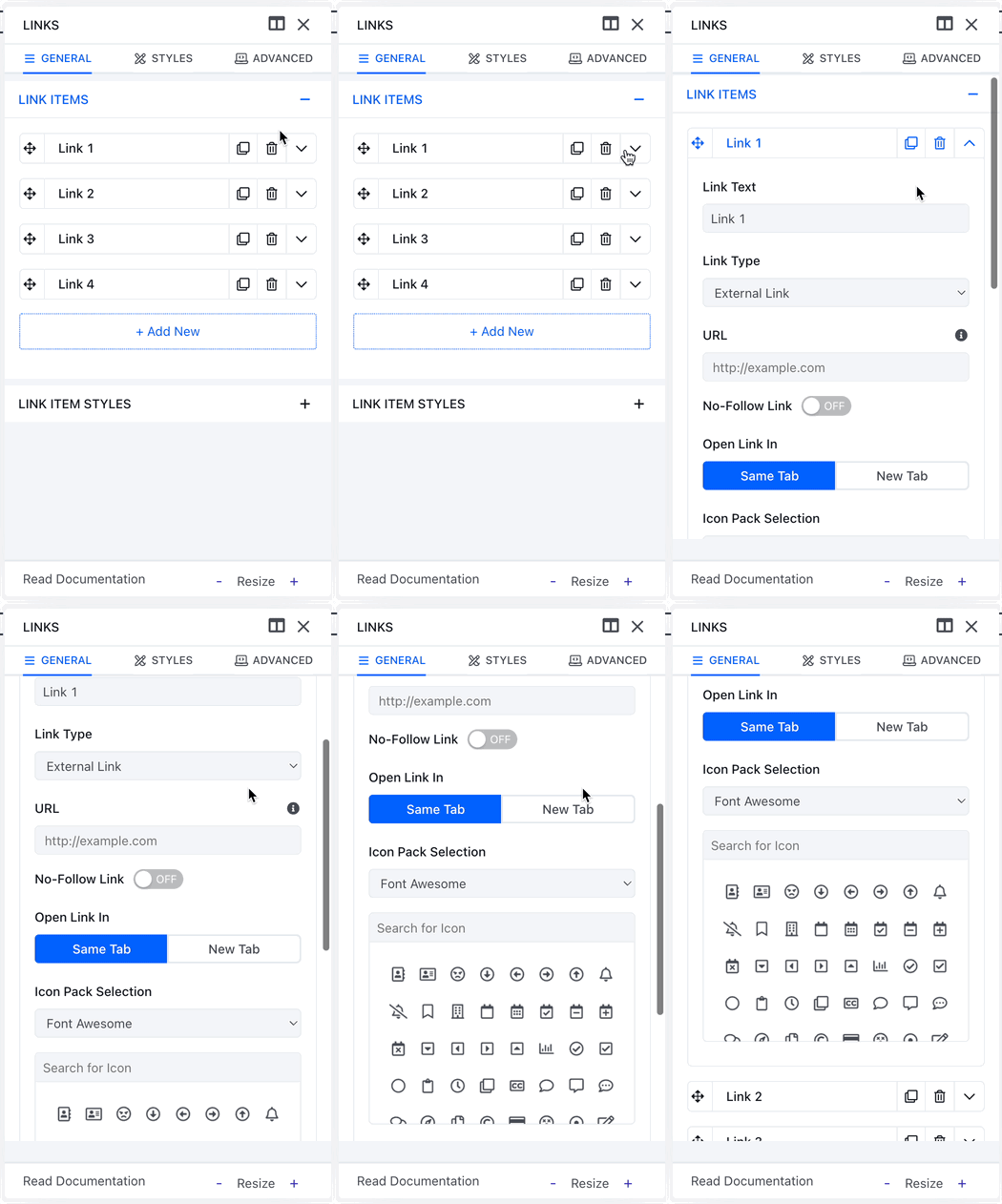
Refer to the GIF below to see the demonstration:
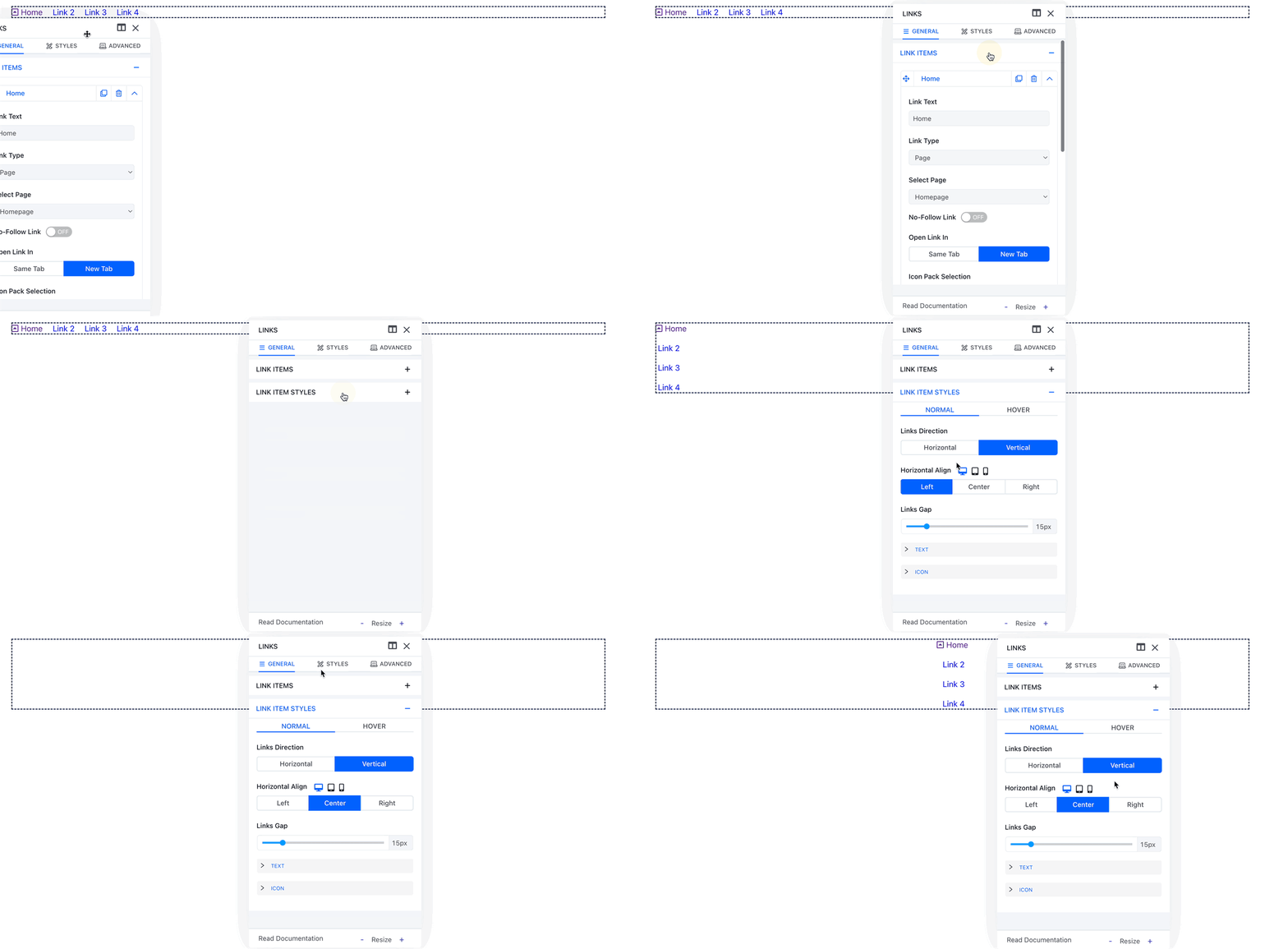
Link Item Styles
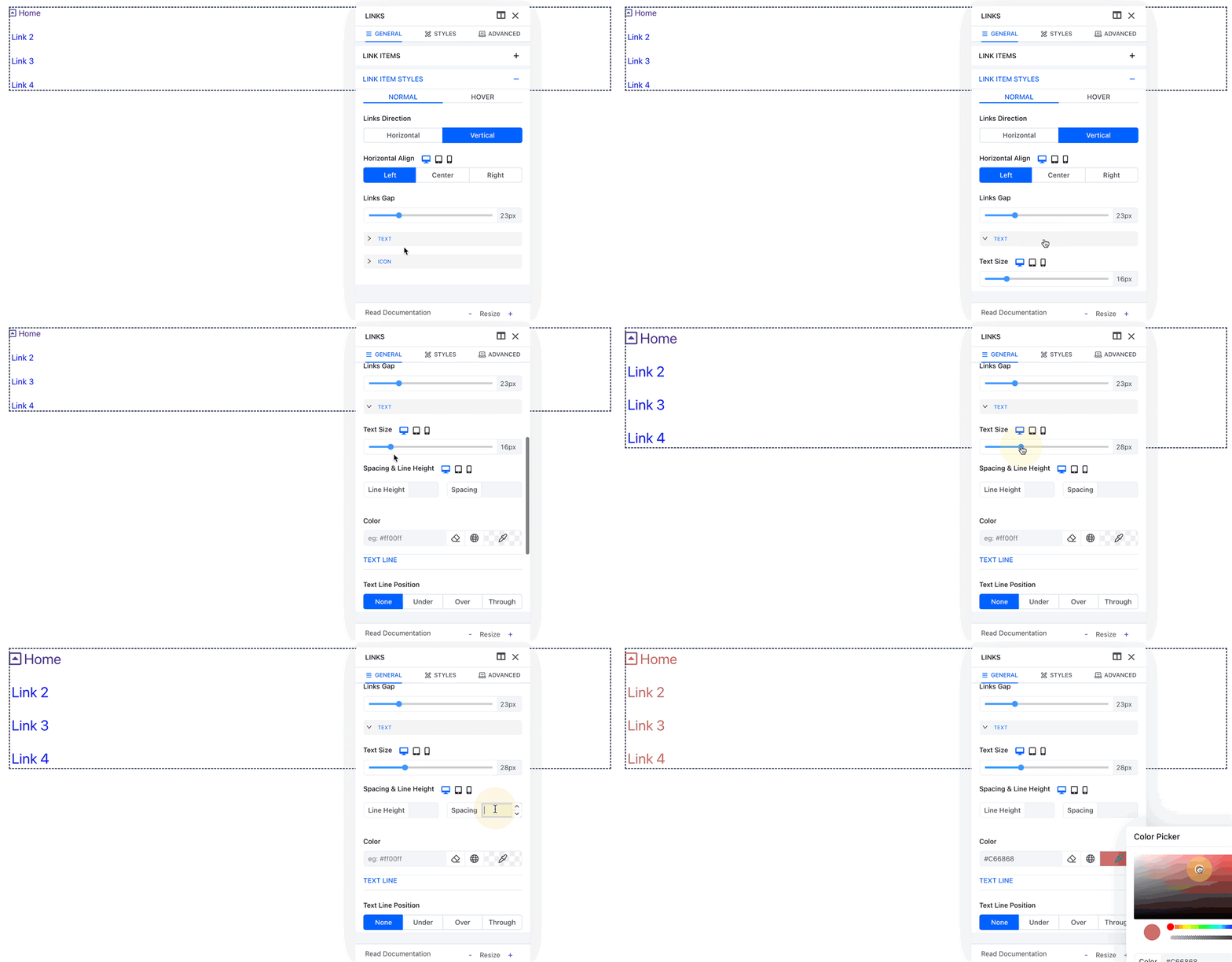
In this setting, you can stylize the Links element with settings like setting the direction of the link items, adjusting the gaps, etc.
Refer to the GIFs below to see the demonstration:
Related articles
Navigation⏰ Countdown TimerAi nevoie de ajutor? Scrie-ne.