
Horizontal Line
Getting Started
You can add the Horizontal Line element to your website for various purposes. This article will cover how you can add this element to your website and follow the given instructions accordingly.
Table of Contents
Adding the Horizontal Line element
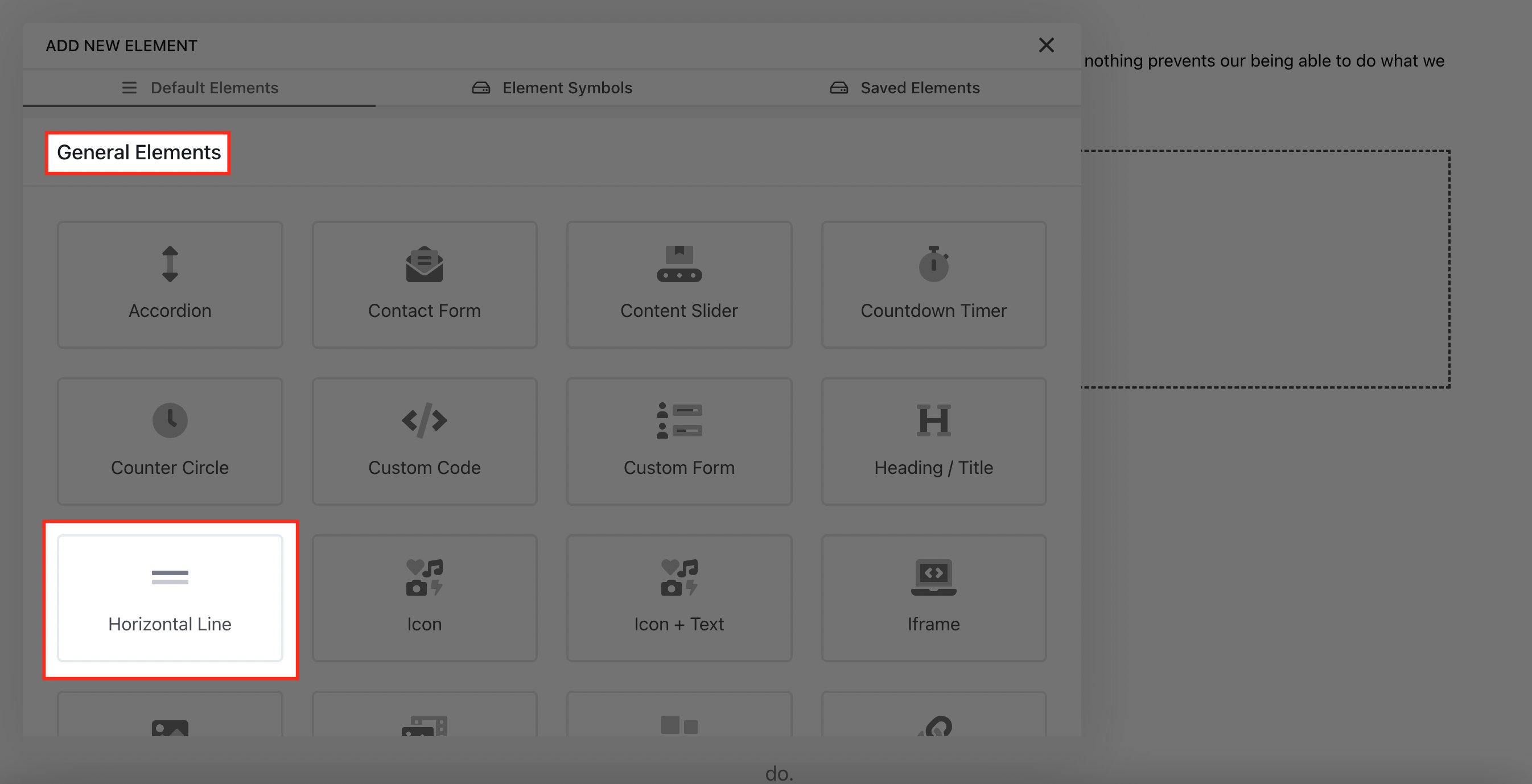
Follow the steps below to add a Horizontal Line to your site.
- Click on Add Element in an empty row and section
- From the General Elements section, select Horizontal Line
Refer to the GIF below:

Horizontal Line element after it is added
Editing the Horizontal Line Element
Follow the steps and instructions below to add and edit a Contact Form on your site.
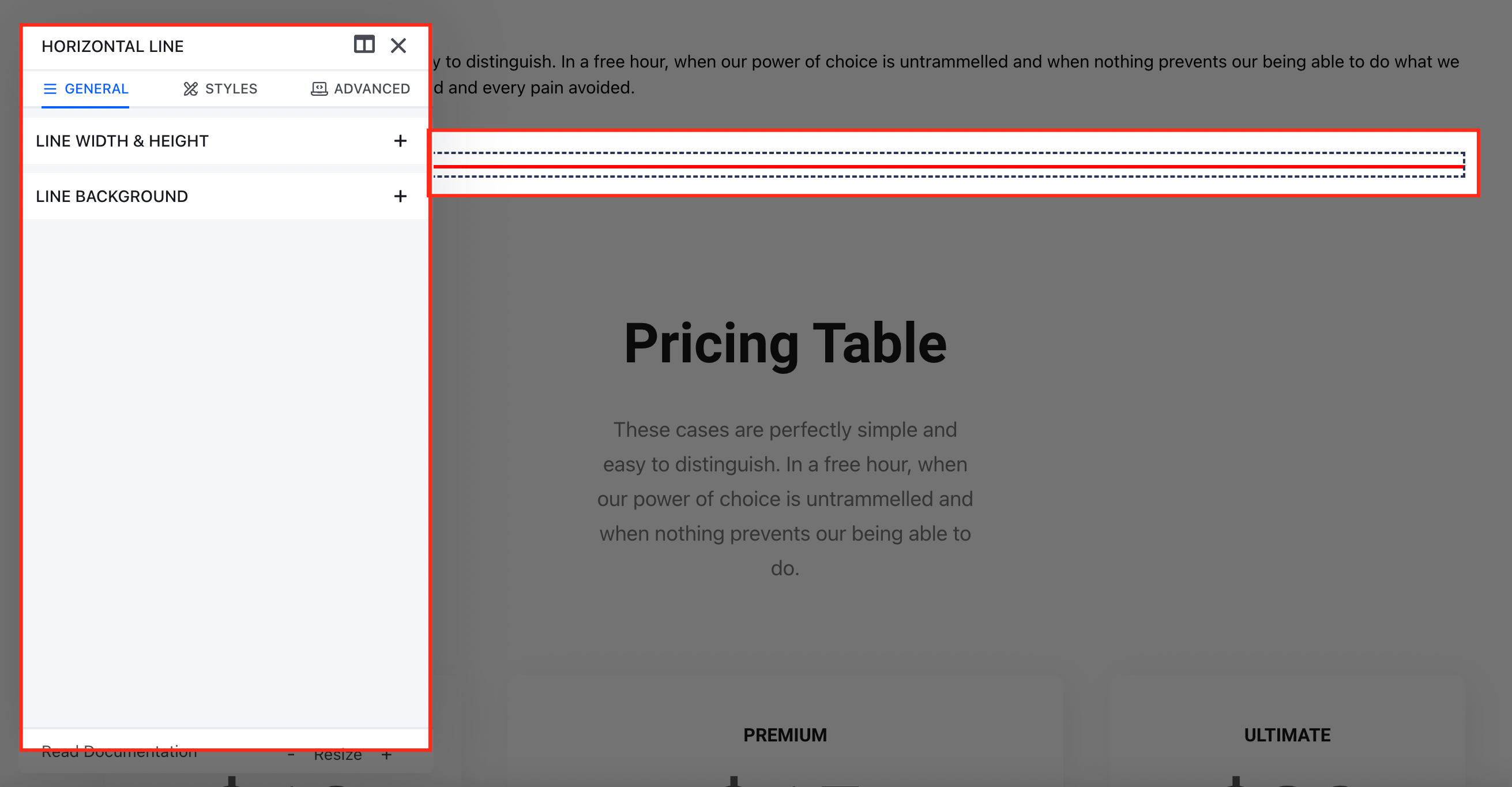
The Horizontal Line element editor has the following options:
- Line Width and Height
- Line Background
The Horizontal Line element editor:
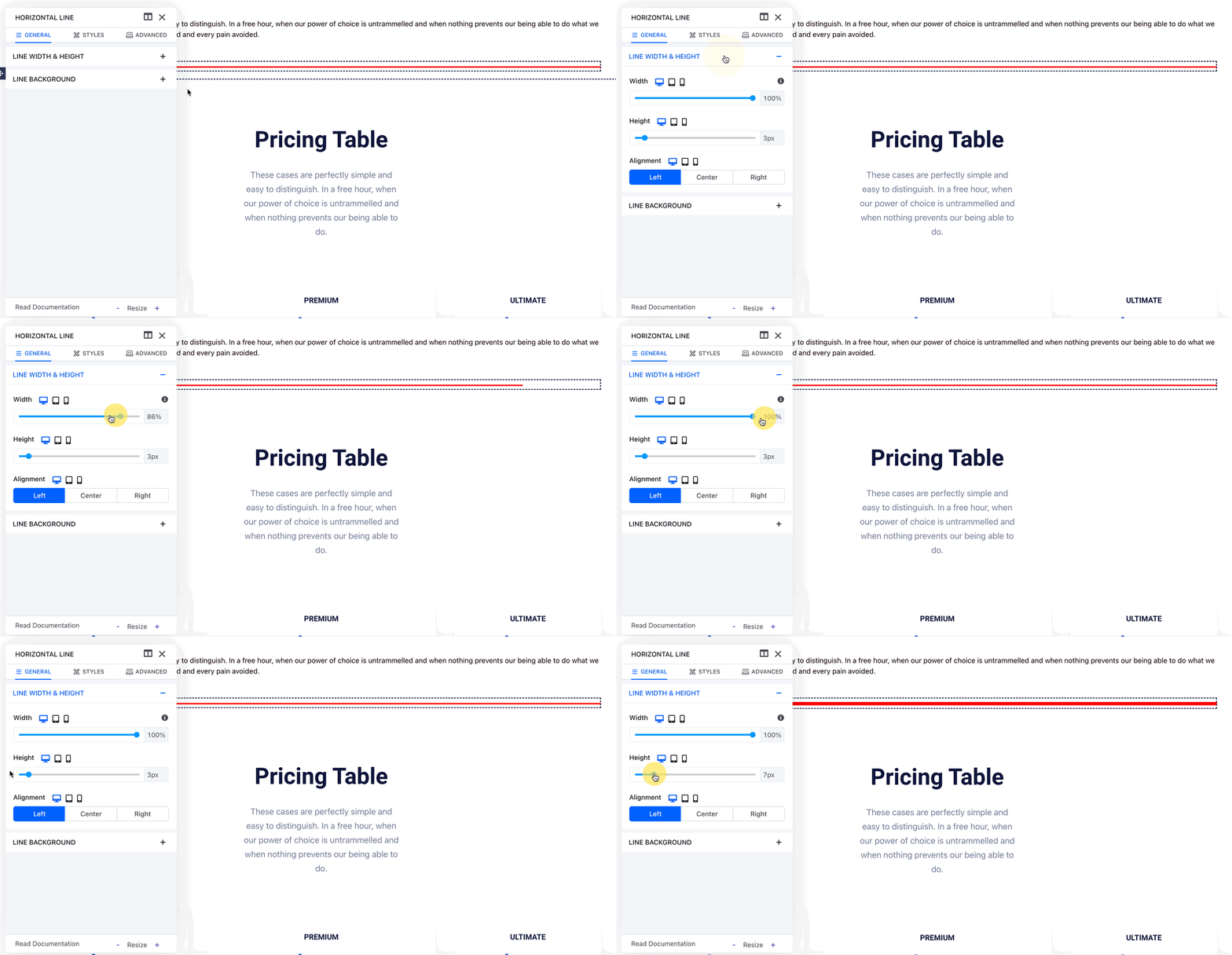
Line Width and Height
This option lets you customize your horizontal line with settings like changing the width, height, and alignment of the horizontal line
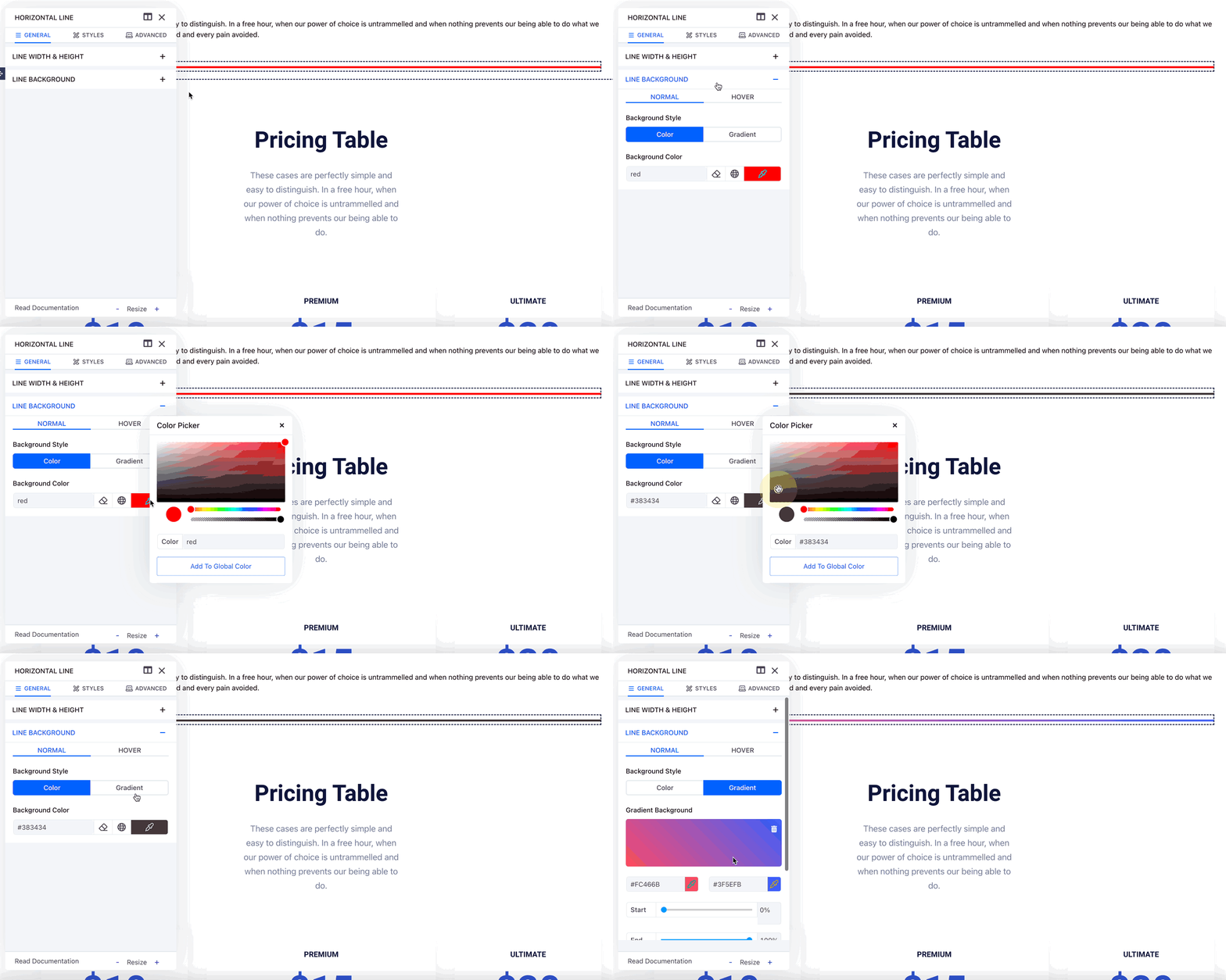
Line Background
This option lets you change the color of your horizontal line. You can add a plain color or add a gradient to your line background.
Related articles
Regular Button Custom CSSAi nevoie de ajutor? Scrie-ne.